JavaScript Quick Reference – Retro Amber Terminal Cheat Sheet Mouse Pad

Designed and sold by EpicBlackCat
$15.84
50% off ends soon
$15.84
 Super-easy returnsProblem? No problem. We’ll fix it, fast.
- This extended-size desk mat is like a mouse pad that invites the keyboard to the party, too
- Microweave polyester surface for optimal mouse control
- Anti-slip natural rubber base
- Anti-fray edges and pill-resistant surface for maximum durability
- Supports optical and laser mice
- Thickness: 0.1 inch / 3mm
- Spot clean with damp cloth
- Since every item is made just for you by your local third-party fulfiller, there may be slight variances in the product received
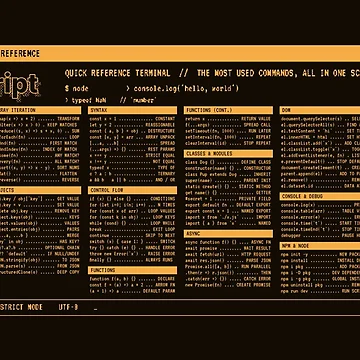
JavaScript Quick Reference – Retro Amber Terminal Cheat Sheet
More than 150 of the most-used JavaScript methods, commands and shortcuts on one retro terminal screen, glowing in [green phosphor / amber] on black. It has 14 sections: strings, arrays, array iteration (map, filter, reduce), objects, modern syntax, control flow, functions, classes and modules, async/await and fetch, DOM, console and debugging, npm and Node, browser DevTools shortcuts and code editor shortcuts. Each line pairs the code with what it does, in an old-school CRT style with an outlined title, a dithered shadow and scanlines. Made for front-end, back-end and full-stack developers, students and bootcamp grads who want answers without opening another browser tab.
Also available on
Looking for something different?
Search below.Related Tags
Desk Mats Tags
This section provides a collection of tags that relate to the Desk Mat on this page. These tags each link to a search for the Desk Mats that relate to the tag.
All Product Tags
This section provides a collection of tags that each link to a search for any products that relate to the tag.
Trending topics
This section provides a collection of tags that each link to a search for any products that relate to the tag.
Secure Payments
100% Secure Payment with 256-bit SSL encryption